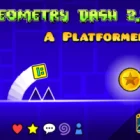
Geometry Dash 2.2 Platformer Mode
Play Geometry Dash 2.2 Platformer Mode, a geometry Dash Scratch game, free in your browser. No download, no sign-up.
You may like
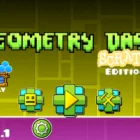
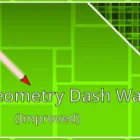
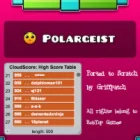








You press right, the cube walks forward instead of scrolling on its own, and you suddenly realize you can stop, turn around and wait before a spike. That control changes everything in Geometry Dash 2.2 Platformer Mode, where the series drops its automatic scroll and hands you full horizontal control for the first time.
Walking Instead of Scrolling in Geometry Dash 2.2 Platformer Mode
In classic levels the screen moves on its own and you only control jumps. Platformer mode removes that, so the cube moves left and right only when you press the direction keys. You can approach obstacles slowly, back away from a moving hazard, or take a running start before a long gap. This shift turns the game from a rhythm runner into a genuine platformer.
Jump still works the same way. The difference is that timing now includes your position.
Players coming from classic levels often keep holding right out of habit, rushing into spikes they could have waited for. Learning to pause and read each section is the first real skill the mode teaches, and it feels strange at first for anyone used to auto-scroll.
Game Modes Inside Platformer Levels
Platformer levels still use portals, so the cube can turn into a ship, ball, UFO, robot, spider or the swing introduced in 2.2. Each mode keeps its classic input but adds horizontal control, which changes how they feel.
- Cube: walk and jump with full control
- Ship: fly with horizontal control, much easier to correct
- Ball: flip gravity while choosing your speed
- Robot: hold jump longer for higher leaps
- Swing: flip gravity in mid-air with each click
The swing is the mode players mention most. Combined with horizontal control, it allows creative routes through levels, but it also takes the longest to get comfortable with.
Checkpoints and Level Design in Geometry Dash 2.2 Platformer Mode
Platformer levels often place checkpoints throughout, and touching one saves your progress. That changes the pace completely, because a death no longer sends you back to the start. Longer levels with exploration, keys and switches become possible.
Some creators use this for puzzle-style layouts. Others build pure precision challenges.
The honest debate in the community is about identity. Some players love the new direction, while purists feel platformer mode drifts away from the rhythm focus that defined the series. Both sides agree that the best platformer levels use the music and movement together rather than ignoring the beat.
Movement Habits Most Players Miss
Advanced players use small taps of the direction keys to position the cube precisely before a jump. Holding a key and jumping often overshoots narrow platforms, while a tap and pause lands cleanly.
- Tap direction keys for small position adjustments
- Stop before moving hazards instead of rushing
- Use running starts only for long gaps
Speedrunners do the opposite, chaining movement without pauses and memorizing every jump. Their runs show how fast the mode can be once layouts are learned, and watching one is a quick way to discover routes you never noticed.
How is Geometry Dash 2.2 Platformer Mode different from classic levels?
Classic levels scroll automatically and only let you jump. Platformer mode gives full left and right control, so you can stop, back up and choose your pace. Checkpoints are also common, so deaths cost less progress.
What is the swing mode?
The swing flips gravity with each click while moving through the air. In platformer levels it combines with horizontal control, allowing flexible routes. It takes practice because each click reverses direction instantly.
Why do players keep dying on easy platformer jumps?
Most deaths come from holding a direction key too long and overshooting a platform. Tapping to position the cube first, then jumping, gives much more control. Pausing before hazards also prevents rushed mistakes.
Geometry Dash 2.2 Platformer Mode trades automatic scrolling for full control, and learning to pause before spikes, position the cube with small taps and handle the new swing is what makes these levels click.
More Geometry Dash Scratch Games to Play Next
Keep the session going with more games like Geometry Dash 2.2 Platformer Mode:
Also in Platformer Scratch Games
Player Reviews
There are no reviews yet. Be the first one to write one.