Tap ♥ on any game to save it here — no sign-up needed.
Trending this week
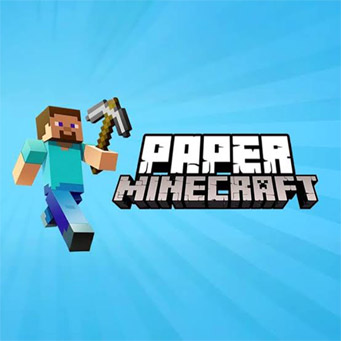 TRENDING Paper Minecraft
 HOT Stickman Hook
 TRENDING Among Us Platformer
 HOT Geometry Dash Scratch Edition
 NEW Super Mario Kart
 NEW Soccer Ace
 TRENDING Planet Clicker
 NEW Money Clicker
 HOT Hill Climb Racing 2.3
 TRENDING Head Soccer
 NEW FNF Chaos Nightmare
 HOT Candy Clicker 2
 HOT Cookie Clicker
 HOT Basketball
 NEW 2 Player Racing
 NEW 2 Player Gun Fight
 TRENDING Stickman Streetball
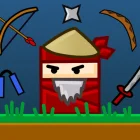 HOT The Ninja Master
Popular Scratch Games
Editor's Picks
Recently Added
Scratch Games
Scratch Games from the catalog above open right in your browser tab: pick a thumbnail, press the green flag and you are playing within seconds, with no download and no sign-up. The collection covers every corner of the Scratch community, from Paper Minecraft and Appel to multiplayer projects, rage climbers, two-player duels and clickers that quietly eat an entire evening. Use the genre table below to find your kind of challenge, check the creators whose projects passed tens of millions of plays, then dive into the controls and the traps that make new visitors close a tab too early.
Browse the Scratch Games Catalog by Genre
Every title here started life as a project on the Scratch platform, where code snaps together like puzzle pieces and every build runs on the same 480×360 stage. That shared origin is why the catalog feels so consistent to use: projects load fast, restart with one click and explain their controls on the first screen. What changes from one thumbnail to the next is everything else, from a full survival sandbox to a single button and a counter that keeps climbing. The table sorts the collection into the genres players actually search for, with proven titles to start with in each one.
| Genre | What you actually do | Start with |
|---|---|---|
| Platformer | Run, jump and time every landing across handmade levels | Appel, The Ninja Master, Super Mario Brothers 1s1s |
| Sandbox and survival | Mine, craft, build shelters and survive the night | Paper Minecraft, Minecraft V8, Minecraft by NormanTheGamer |
| Rage and hard games | Climb, dodge and retry until muscle memory takes over | Getting Over It, The World’s Hardest Game, Ivy’s Hardest Game |
| Action and arena | Fight waves, bosses or rivals in fast rounds | Arena, Battlemage, Battlerena |
| Cloud multiplayer | Share one level or lobby with other players in real time | Massive Multiplayer Platformer, Minecraft-ish MMO, Among Us Cloud |
| Dungeon adventure | Explore rooms, collect keys and beat each floor | Dungeon Journey |
| Two-player | Share one keyboard and beat the person next to you | 2 Player Battle, Shootout 2 Player, 2 Player Racing |
| Clicker and idle | Click, buy upgrades and watch the numbers multiply | Candy Clicker 2, Cookie Clicker, Planet Clicker |
| Rhythm and music | Hit arrows on the beat or jump in sync with the track | FNF Indie Cross, FNF vs Sarvente, Geometry Dash Wave |
| Racing | Balance a car over hills or race rivals to the line | Hill Climb Racing, Super Mario Kart |
| Sports | Quick matches of soccer and basketball with simple controls | Head Soccer, Basketball, Stickman Streetball |
| Puzzle and logic | Slide, merge and plan moves ahead | 2048 Remake, Arukone, Unblock Me |
| Horror fan projects | Watch cameras, close doors and survive until 6 AM | FNAF fan nights |
Not sure where to begin? Platformers and Paper Minecraft are the safest first picks, because they show off what a polished Scratch build feels like.
Familiar faces turn up across every genre. The Scratch Cat appears as a hero, a boss and occasionally a background joke, while default library sprites such as Gobo, Giga, Pico, Nano and Tera get recycled into sidekicks and enemies in hundreds of fan projects. Spotting them is part of the fun, and it is also the quickest way to tell a beginner build from a veteran one: experienced Scratchers draw their own art, while first projects proudly keep the stock cat walking left to right.
Green Flag, Stop Sign and the Keys That Matter
The Scratch player has only a handful of buttons of its own, and every one of the Scratch Games on this site shares them. Above the stage sits the green flag, which starts the scripts, and the red octagon beside it, which stops everything instantly. In the opposite corner you will find the full-screen toggle. Learn these three and you already know more than most first-time visitors who keep reloading the page when something locks up.
Inside a project, the creator chooses the keys. Still, after a few hundred builds you start to see strong conventions, because the community copies what works and tutorials teach the same layouts again and again.
- Green flag starts or fully restarts the project from its first script.
- Shift + click on the green flag switches on Turbo Mode, which runs scripts as fast as your computer allows.
- Red stop sign halts every script and sound on the spot.
- Full-screen icon stretches the stage to fill your monitor; press Esc to leave it.
- Arrow keys or WASD handle movement in nearly every platformer and top-down adventure.
- Spacebar or Up arrow means jump, the standard for Geometry Dash remakes and most obstacle courses.
- Left mouse button clicks in clickers, mines and places blocks in Paper Minecraft, and swings the hammer in Getting Over It.
- E opens the inventory in Paper Minecraft and many survival builds that copy its layout.
- Number keys 1–9 switch hotbar slots in sandbox projects.
- Touch works too: a tap on the stage registers as a mouse click, so clickers and point-and-click puzzles work on phones out of the box.
Touch is where things get uneven. Projects that rely on the keyboard need on-screen arrow buttons, and only some creators bother to draw them. If a platformer shows no buttons on your phone, that is not a bug on this page; the project simply was not made for fingers. Clickers, idle builds and most casual projects, on the other hand, feel right at home on a tablet.
Projects Everyone Ends Up Playing
Ask a room full of Scratchers to name the projects that defined the platform and the same titles come up within a minute. These are the Scratch Games that hit the Front Page, collected huge numbers of loves and spawned entire families of remixes. Many of them are also the reason people start coding in the first place: someone plays a slick platformer, presses “See inside,” and realises it is just blocks.
- Paper Minecraft The most-viewed project in the community’s history, with more than 66 million views. A flat 2D take on block survival with mining, crafting, mobs and generated worlds, and the clearest proof that a 480×360 stage can hold a sandbox. Countless mods and “Super Mod” spin-offs grew out of it.
- Getting Over It A character stuck in a pot, a hammer on the mouse and a mountain of junk to climb. Over 22 million views, and plenty of them ended in one slip that cost twenty minutes of progress.
- Appel A tight platformer starring a small red apple. Short levels, careful jumps and a learning curve that feels fair even when it hurts.
- Massive Multiplayer Platformer The project that showed cloud variables could carry live players. You see other runners as ghosts on the same course in real time.
- Arena A fast top-down battler with upgrades between rounds and one of the most replayed action projects on the platform.
- Among Us Scratch A cloud remake with tasks, impostors, emergency meetings and even a Jester mod squeezed into Scratch’s limits. More crewmates live in our Among Us Scratch games, from Among Us Main Menu to Among Us by DestroyerXB1.
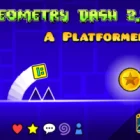
- Geometry Dash remakes Square icons, spikes and music-synced levels. Players argue about which remake has the most accurate jump physics; Geometry Dash Scratch Edition is a good place to start.
- Egg Clicker and Candy Clicker 2 The comfort food of the catalog. One click, one number, then upgrades that multiply until the counter needs scientific notation.
Below these headliners sits a long tail that rewards digging. Little Islands, Blueprints: A Platformer, Pixel War, Tree Royale and Stickman Scroller each do one idea well, and several of them feel like small commercial indies rather than school assignments. Players who love exploring tend to find their personal favourite in genres like stickman games, from Stickman Hook to Super Stickman Dash, or shooters like Space Shooter rather than on the list above.
The Scratchers Behind the Biggest Hits
A handful of names come up again and again when players trace their favourite projects back to the source. These creators shaped how the community thinks about platformers, multiplayer and polish, and their projects are copied, remixed and studied by thousands of younger Scratchers every month. Knowing who made what is the easiest way to find more of the same quality: if you loved one project by a creator, the rest of their profile is usually just as good.
| Creator | Best-known projects | Known for |
|---|---|---|
| griffpatch | Paper Minecraft, Getting Over It, Appel, Massive Multiplayer Platformer, Minecraft-ish MMO | The most-viewed projects on the platform and tutorials that taught a generation to code scrolling and cloud multiplayer |
| theChAOTiC | Arena, Bouncy Heroes, Wall Runner, Slime Smash Ultimate, Battlemage | Fast, replayable action projects with clean controls and upgrade systems |
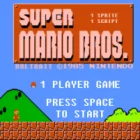
| Will_Wam | The Ninja Master, Super Mario Bros, Bouncy Ninja 2, Dungeon Journey 2, Cube Jumper | The long-running Ninja platformer series and approachable dungeon adventures |
| TimMcCool | Among Us Scratch, Blocky Platformer Maker, 2048 Remake, Arukone, Ice Cube Smash | Ambitious cloud projects that push live multiplayer further than most thought possible |
The numbers behind these names are staggering for a platform built for learning. Paper Minecraft alone has passed 66 million views, Getting Over It sits above 22 million and Appel above 15 million, while Arena has crossed 5 million on its own.
What ties these creators together is iteration. Version numbers like “v1.4” or “v3.2” in a project title are a community signature: the creator kept fixing, balancing and expanding long after release, often based on comments from players. That habit is why the biggest projects still feel fresh years later, and why a “v0.1” upload from an unknown Scratcher can grow into the next headliner on this list.
Solo Runs, Couch Duels and Cloud Lobbies
Scratch projects do not come with a mode menu the way bigger titles do, but the Scratch Games in this catalog naturally split into four styles of session. Knowing which one you are about to open saves frustration, because a cloud lobby and a shared-keyboard duel behave in completely different ways even when their thumbnails look alike.
Solo campaigns
The classic format. You work through a set of handmade levels, usually between ten and thirty, with checkpoints that live only as long as the tab stays open. Appel, The Ninja Master and most Geometry Dash remakes belong here, along with Mario Scratch games such as Mario Invaders. The goal is simply to reach the final screen, and the challenge comes from level design rather than reflexes alone. Completionists love these for hidden coins and secret exits that creators tuck behind fake walls.
Endless and score attack
No finish line, just a number. Runners, clickers and survival waves sit in this group, and the session ends when you fail or get bored. Because Scratch projects cannot keep your progress on their own, long-running clickers like Money Clicker often hand you a save code: a string of digits you copy somewhere safe and paste back next time. Lose the code and the empire is gone.
Shared-keyboard duels
Two people, one keyboard. Player one usually takes WASD and player two takes the arrow keys, which is exactly how 2 Player Gun Fight, Kung Fu Soccer, Soccer Ace and the many tank and soccer projects are set up. Rounds are short, often under a minute, and rematches are a single press of the green flag. Siblings and friends at the same desk get the most out of these, since nothing needs to connect to anything.
Cloud lobbies
The ambitious end of the platform. Cloud variables let a project store a few numbers on a server that every player shares, and clever Scratchers encode player positions, chat and scores into those numbers. Massive Multiplayer Platformer, Among Us Scratch, Minecraft-ish MMO and Cloud Platformer Multiplayer Fun all live here. There is a real catch, though: cloud data only works for signed-in Scratchers on the official site, so when these projects are embedded elsewhere they often fall back to a solo or “offline” version. Treat the multiplayer Scratch games as previews, and if a lobby looks empty, that is why.
Where First-Time Players Trip Up
The most common mistake is skipping the instructions. Scratch projects have no tutorial pop-ups by default, so creators put the controls on the title screen or in the project notes, and players who mash the spacebar on a project that uses the mouse decide it is broken. Spend ten seconds on the first screen. It almost always tells you which keys do what, and many projects hide a difficulty selector or a “how to play” button there too.
The second trap is clicking the stage before pressing a key. Until the stage has focus, your keyboard input goes to the page rather than the project.
Third comes lag, and it is rarely your internet. Scratch runs everything on your own machine, and heavy projects such as 3D raycasters, pen-drawn effects and big sandbox worlds can bring an older laptop to its knees. Closing other tabs helps more than you would expect. Physics-heavy builds also behave differently on slow hardware, so if a jump in a Geometry Dash remake feels impossible, frame drops may be stretching the timing rather than your reflexes failing.
Finally, many players hit the clone limit without knowing it exists. A single project can run at most 300 clones at once, and bullet-hell shooters or particle-heavy clickers that ignore this can suddenly stop spawning enemies or projectiles. If waves mysteriously thin out late in a run, the project has quietly run into that cap. Restarting with the green flag clears it instantly.
From First Click to Speedrun Routes
Early in most projects the difficulty climbs gently: wide platforms, slow enemies, generous checkpoints. By the time you reach the last third of a campaign the creator starts combining mechanics, and that is where Scratch Games show their personality. Appel layers moving platforms over spike pits; Geometry Dash 2.2 Platformer Mode and other remakes switch you from cube to ship mid-song; Paper Minecraft drops hostile mobs on you once night falls and you have not built a shelter yet.
Turbo Mode is the most misunderstood tool here. It does not make the project “harder” or “faster” in a uniform way; it lets every loop run without waiting for the next frame. In clickers and auto-farmers that can multiply progress, and in poorly written platformers it can break physics entirely, letting you clip through walls. Speedrunners in the community argue endlessly about whether Turbo runs should count, and most leaderboards keep them in a separate category.
Advanced players also read the code. Pressing “See inside” on the original project reveals hidden variables, debug keys and unused levels, and some creators leave cheat codes there on purpose as rewards for curious players. That habit separates casual visitors from long-term fans: the moment you understand why a jump feels floaty, you start predicting it.
There is one detail every veteran recognises. When a project has fully loaded, the green flag sits idle and the stage shows a frozen first frame, often the Scratch Cat mid-step. Press the flag and you hear the faint default “pop” sound that dozens of creators never replaced. After a while that pop becomes the sound of a new session starting, the same way an old console boot chime once did.
Competitive players should also look at remixes. A popular project usually has a remix tree with hundreds of branches, and somewhere down that tree someone has added a timer, a hard mode or a level editor. The best version of a classic is not always the original, and the community happily admits it.
Why Scratch Games Split Opinion
Not everything here is polished, and pretending otherwise would be dishonest. Quality varies wildly because anyone can publish, and a beautifully made platformer can sit next to a three-sprite project with a misspelled title. The catalog filters out the roughest examples, but you will still meet builds that end abruptly or forget to explain a key mechanic.
Remakes are the bigger argument. A large share of the most-played projects copy commercial hits, from Geometry Dash, Minecraft and Mario to Among Us, Friday Night Funkin’ and FNAF, and some Scratchers feel these crowd out original ideas on the Trending page. Others answer that remaking a favourite is how most people learn to code at all, and that projects like Appel and Little Islands prove originals still break through. Both sides have a point, and the healthiest approach is to play a remake, then try something nobody has heard of.
Then there is the 30 frames per second ceiling. Rhythm and precision fans notice it immediately, especially on high-refresh monitors, and it makes certain Geometry Dash sections feel slightly sticky compared with the original. Casual players rarely notice, but those chasing perfect runs will. It is the price of a platform designed first for learning, and it shapes how creators design jumps.
Despite all of that, Scratch Games keep their pull. Projects load in seconds, nothing asks you to install anything, and the community has been producing new work every single day for well over a decade. Few places offer that much variety in such a small frame.
Questions Players Keep Asking
Why do cloud multiplayer projects sometimes show an empty lobby?
Cloud variables, the feature that powers Massive Multiplayer Platformer and Among Us Scratch, only sync for signed-in Scratchers on the official site. When those projects run anywhere else, they usually switch to a solo or offline fallback. You can still learn the level layout and controls, but live opponents will not appear.
What does Turbo Mode do, and should I turn it on?
Turbo Mode, activated by holding Shift and clicking the green flag, removes the wait between frames so scripts run as fast as your computer can handle. It speeds up clickers and slow loading screens nicely. In platformers it often breaks jump physics, so leave it off unless the creator recommends it in the instructions.
How do I keep my progress in Paper Minecraft or a long clicker?
Scratch projects cannot store saves by themselves, so most long builds give you a save code instead. Paper Minecraft and clickers like Candy Clicker 2 show a string of characters you copy into a note; next session, you paste it into the load screen. Without that code, closing the tab resets everything to day one.
Scratch Games reward the same curiosity that built them: pick a thumbnail, press the green flag, read the first screen and give each project a few honest tries before judging it. Start with Paper Minecraft if you want a world to get lost in, Appel if you want a clean challenge, Arena if you want a fight, or a two-player game if someone is sitting next to you, then browse the new Scratch games and find the small project nobody else has discovered yet.
All Genres
- 👥2 Player Scratch Games4
- ⚔️Action Scratch Games5
- 🗺️Adventure Scratch Games4
- 🎮Among Us Scratch Games4
- 🎈Casual Scratch Games5
- 🖱️Clicker Scratch Games4
- 🎮FNF Scratch Games4
- 🎮Geometry Dash Scratch Games4
- 🎮Hard Scratch Games6
- 👻Horror Scratch Games4
- 🍄Mario Scratch Games4
- ⛏️Minecraft Scratch Games4
- 👥Multiplayer Scratch Games4
 New Games6
- 🏃Platformer Scratch Games10
- 🧩Puzzle Scratch Games4
- 🏎️Racing Scratch Games4
- 🎵Rhythm Scratch Games8
- 🎮Sandbox Scratch Games4
- 🎯Shooting Scratch Games4
- ⚽Sports Scratch Games5
- 🎮Stickman Scratch Games4