
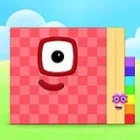
Numberblocks Generator
Play Numberblocks Generator, a for Boys Scratch game by brizluca, free in your browser. Controls: Set, slider, number jumps, Clubs, Info.
You may like






















Numberblocks Generator gives a number a visible shape, turning abstract arithmetic into something you can inspect and compare. Instead of clearing a sequence of stages, you change the value on screen and watch the Numberblock representation grow, shrink, or change form. The appeal is the link between a numeral and a visual model: children can explore counting, place value, odd and even numbers, and number patterns by changing one value at a time. The game-like interface encourages experimentation, but the main purpose is mathematical discovery rather than winning a level.
| Type | Interactive number exploration tool |
| Main action | Generate a Numberblock for a chosen value |
| Controls | Set, slider, number jumps, Clubs, Info |
| Progression | Open-ended exploration, not level clearing |
Changing Values in Numberblocks Generator
The starting value is 0. Once the scene has loaded, the three-bar menu gives access to number controls, including buttons that add or subtract fixed amounts. Small steps are useful when you want to watch a change happen gradually, while larger jumps help you move quickly through values that would take too long to reach one by one. The Set control is especially useful when you already have a particular number in mind and want to inspect it directly.
Try moving from 9 to 10, then from 99 to 100. These transitions make place value easier to notice because the written digits change position and the visual representation changes with them. A child learning to count can use single steps, while someone who already understands basic counting may prefer comparing tens, hundreds, and larger values. The game-like feedback makes a number feel less like an isolated symbol and more like a quantity that can be built and rearranged.
Large jumps are spread across menu pages, so take a moment to explore the arrows rather than assuming the first screen contains every control. If the landscape or number has not appeared yet, wait for the initial load to finish before pressing buttons. Early clicks can be missed while the drawings are still loading, which can look like a broken control even though the tool is still preparing its content.
Number Facts and Clubs in Numberblocks Generator
The Clubs area groups numbers according to mathematical properties. Depending on the selected value, useful categories include odd, even, multiples, and square numbers. These groupings turn a simple number change into a small investigation: you can ask why one value belongs to a club while the next value does not, then test the idea with another example. The Info and Number facts panels add context without requiring a separate worksheet.
For a quick activity, compare 4, 9, 16, and 25. Each is a square number, and the visual arrangement helps connect the name to a square layout. Then inspect a short run of values from 1 to 10 and sort them into odd and even groups. A learner who benefits from visual examples can use the character as a concrete reference, while an adult helping with homework can turn each change into a question about the digits or the number’s properties.
- Explore one step at a time. Use +1 and -1 to observe how neighboring numbers differ.
- Compare place value. Use +10 or +100 to see which digit changes and which remains the same.
- Check a property. Open Clubs or Number facts to test whether the selected value is odd, even, or square.
One limitation is that the tool is not organized around a fixed campaign, score, or final boss. Players expecting traditional stages may initially wonder what counts as completion. The open-ended structure is useful for practice, but it relies on a parent, teacher, or curious learner to set a question and decide what to investigate next.
Questions About Numberblocks Generator Controls
How do you enter a specific number in Numberblocks Generator?
Open the menu and choose Set, then type the whole number you want to display. If the interface asks for sixtieths, enter 0 for a whole-number value. The Numberblock and its number label should then update together, allowing you to inspect the selected value without stepping through every number before it.
How can you use Numberblocks Generator to teach odd and even numbers?
Move through the values from 1 to 10 and keep the Number facts panel visible. Even numbers can be divided into two equal groups, while odd numbers leave one unpaired. Use Clubs to compare the category membership, then ask the learner to predict the next value before changing the number.
Why does Numberblocks Generator sometimes take a long time to load?
The visual set contains a large collection of drawings for different values, so the first load can take longer than expected. Wait until the landscape and starting number appear before using the menu. If a button seems unresponsive during loading, allow the scene to finish rather than repeatedly pressing the controls.
Numberblocks Generator is most useful when you treat each change as a question: what happens at 10, which values belong to the square-number group, or why does an odd number leave one over? The Number facts panel, Clubs, and Set control turn those questions into quick visual experiments, giving the game-like tool a clear place in early number learning.
Explore More For Boys
If Numberblocks Generator clicked with you, try one of these next:
Player Reviews
There are no reviews yet. Be the first one to write one.