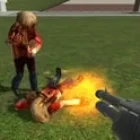
Dmod
Play Dmod, a physics sandbox, first-person game, free in your browser. No download, no sign-up.
You may like
















What do you actually do in a sandbox that hands you a physics gun, a spawn menu full of props and NPCs, and no objective at all? That is the first question most people ask after opening Dmod, and the honest answer is: whatever you build. The game takes clear inspiration from the classic PC sandbox formula and squeezes it onto mobile, with maps to explore, a tool gun for posing and connecting objects, and modes that turn the playground into a battlefield. The fun comes from experimenting, and the depth comes from how far you are willing to push the tools.
| Genre | Physics sandbox, first-person |
| Modes | Sandbox, Team Deathmatch, every-player-for-themselves deathmatch, Zombies |
| Key tools | Physics gun, tool gun, spawn menu |
| Custom content | Weapon, NPC, prop and sound mods, imported BSP maps |
| Goal | No fixed goal — create scenarios and play them out |
The Physics Gun and Tool Gun Basics
The physics gun is your main interaction tool. It lets you grab props, lift them into the air, rotate them and lock them in place, which is how most builds start. Learning to lock objects at the right angle is the first real skill, because unlocked pieces will topple the moment something touches them. Once you get comfortable with it, stacking crates into towers or building ramps for vehicles becomes second nature.
The tool gun handles the finer work. You use it to connect objects, pose ragdolls and attach parts together, which is where actual contraptions come from. Players often skip the tool gun at first and end up frustrated when their creations fall apart; welding pieces together is what turns a pile of props into something functional.
The spawn menu ties everything together. It holds props, weapons, NPCs and vehicles, and the size of the list grows as updates and mods add more content. Spending a few minutes browsing it before building saves time later, because many players do not realize how many vehicles and characters are already available.
Sandbox Mode Versus Combat Modes
Sandbox mode is the heart of the game for builders. There is no timer, no score and no enemies unless you spawn them. People use it to stage ragdoll scenes, test weapons on NPCs, recreate scenes from other games or just knock things over to watch the physics react. Creative players who like making short videos or screenshots often never leave this mode.
Team Deathmatch and the every-player-for-themselves deathmatch push Dmod toward a shooter. You pick a loadout and fight on maps that were designed for movement and cover. Combat is more casual than a dedicated mobile shooter, but it gives the sandbox a reason to exist beyond tinkering.
Zombies mode adds a survival layer, sending waves of undead at you while you hold a position. It pairs well with the building tools, since locking props into barricades is a legitimate tactic. Players who get bored of pure sandbox play usually find Zombies the most replayable mode.
Mods and Maps in Dmod
Custom content is what keeps the community active. Support for custom weapon, NPC, prop and sound mods means the base content is only the starting point, and many players spend more time installing additions than using the defaults. Importing BSP maps also lets you bring in environments built for other sandbox engines, which hugely expands where you can play.
A common beginner mistake is installing too many mods at once. Large packs can slow the game down or cause crashes on weaker phones, so adding a few at a time and testing them is the smarter route. If something breaks, removing the last mod you added is usually the fix.
Patience with installs saves a lot of troubleshooting. Here is a sensible order for a new player getting into custom content:
- Learn the default physics gun and tool gun on a basic map.
- Try one weapon mod and one NPC mod to see how imports work.
- Import a small BSP map before attempting large ones.
- Build a scene in Sandbox, then test it with friends in a combat mode.
Where Dmod Falls Short
Players who come from the PC sandbox that inspired it notice the gaps quickly. The tools are simpler, the default asset list is smaller and some interactions feel one-dimensional compared to what desktop sandboxes offer. That does not ruin the fun, but expecting a full desktop-level toolset on a phone leads to disappointment.
Performance is the second recurring complaint. The full install is large, and heavy scenes with lots of props and NPCs can drop the frame rate on older devices.
Ads and occasional crashes after updates also show up in reviews. Still, the core loop — spawn, connect, test, break — works well enough that millions of players keep coming back, and regular updates have added features like swimming, vehicles and overhauled visuals over time.
Common Dmod Questions
How do you lock objects in place in Dmod?
Grab the object with the physics gun, position it where you want, then use the lock action while holding it. Locked props stay locked in the air or on the ground and will not react to physics until you unlock them. This is the foundation of every stable build, from towers to barricades in Zombies mode.
Can you add custom maps and weapons?
Yes. The game supports custom weapon, NPC, prop and sound mods, and it can import BSP maps. Add content gradually and test each addition, because large mod packs can cause slowdowns or crashes on weaker devices.
Is there multiplayer, and which modes does it include?
Multiplayer covers Sandbox, Team Deathmatch and a mode where every player fights alone, while Zombies gives you a survival challenge. Sandbox with friends is where the most creative chaos happens, since everyone can spawn and connect props in the same space with the tool gun.
Dmod rewards curiosity more than skill — once you master locking props with the physics gun, welding contraptions with the tool gun and loading a few custom NPC mods, every map turns into a new experiment waiting to be broken. Zombies mode is where those building skills get tested the hardest.
Player Reviews
There are no reviews yet. Be the first one to write one.