
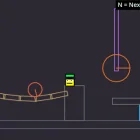
Physics Playground
Play Physics Playground, a physics sandbox Scratch game, free in your browser. No download, no sign-up.
You may like

















You drop Appel onto a stack of crates, tap Space to enter Bullet Time, and watch every block wobble in slow motion as the tower folds around him. Physics Playground serves up that kind of moment within seconds, because no exit door or timer waits at the edge of the screen. You spawn objects, pin them together, change gravity, and then poke the result to find out what breaks first.
| Genre | Physics sandbox |
| Playable character | Appel |
| Movement | Arrow keys |
| Object tools | Mouse drag, keys 0–9 to spawn, P for pins, F to fix |
| Goal | Self-set experiments and contraptions |
Appel, Pins, and the Keyboard Layout of Physics Playground
The control list looks intimidating, yet it splits neatly into three jobs. Arrow keys move Appel, the mouse drags any object on screen, and the number keys 0 through 9 spawn new pieces into the scene. A adds another Appel, X deletes whatever sits under the cursor, R resets the scene, and N moves on to the next prepared scene. P adds or removes a pin, while F fixes a block in place or limits how far a pin can swing.
Most players use about half of those keys in their first session. The rest usually get discovered right after a carefully stacked bridge sags into the floor.
The classic beginner mistake is treating a single pin like glue. One pin works as a hinge, so a beam pinned through its middle spins around that point like a propeller. A second pin, or the F key, is what turns a loose plank into a rigid part of the build. Builders who enjoy planning before touching anything spend most of their time with P and F, testing joints one at a time instead of spawning ten crates and hoping for the best.
Gravity Modes, Bullet Time, and Ragdoll Launches
Pressing G cycles through the gravity modes, and this is where the game stops feeling like a building toy. A ramp that worked a moment ago becomes a wall, and pinned pendulums start swinging sideways. Bullet Time on Space slows everything down, which turns a messy collapse into something you can actually read: which block slipped first, which pin carried the load, where Appel lost his footing. Many players leave Bullet Time on while tuning a machine and switch back to normal speed only for the final run.
The S key is easy to ignore early on. It shows which objects are at rest, so you can tell a settled stack from one that is still creeping by a pixel per frame.
Once you press M, Appel switches to ragdoll mode and the whole tone changes. Limbs flop, collisions throw him across the room, and the community favorite becomes building a launcher just to see how far a ragdoll can travel. Players who arrive from chaotic sandbox projects tend to skip careful construction entirely and go straight for catapults and seesaws.
- Seesaw launcher: fix one block with F, pin a long beam to it once, set Appel on the low end, and drop crates on the high end.
- Wrecking ball: hang a chain of pinned objects from a fixed anchor, pull the bottom piece aside with the mouse, and let it swing into a tower.
- Gravity flip test: build any small structure, press G halfway through its collapse, and watch the pieces reverse direction.
Saving Builds and the Limits of an Open Sandbox
O exports a scene and I imports one, which turns your best machines into data you can keep and reload instead of rebuilding them block by block. This is the closest the game gets to progression. By the time you have cycled through the prepared scenes with N, a lot of the fun comes from loading someone else’s contraption and working out how its pins and fixed blocks hold the whole thing together.
The honest criticism comes up often. Without goals, scores, or levels, some players feel lost after a short session and close the tab.
Touch players have a harder time as well. Many actions live on letter keys, so phones and tablets lose easy access to pins, gravity changes, and ragdoll mode unless a keyboard is attached. Teachers who use the sandbox to demonstrate hinges and gravity notice this split quickly, since a classroom laptop handles the full toolkit far better than a phone does.
Physics Playground Questions From New Builders
How do you make a solid joint in Physics Playground?
Use two pins between the same pair of objects, or select a block and press F to fix it in place. A single pin added with P only creates a hinge, which is why beams keep rotating when players expect them to stay put. F can also limit a pin, giving you a joint that swings only within a set range.
What is the difference between Bullet Time and ragdoll mode?
Bullet Time, toggled with Space, slows the entire scene so you can study collisions closely. Ragdoll mode on M changes only Appel, turning him from a controllable character into a limp body driven purely by physics. Combining both is the easiest way to see exactly how a launch goes wrong.
Can a contraption be saved and shared?
Yes, O exports the current scene as data and I imports it again later. Players copy that data to keep their favorite machines or pass a build to a friend, who can load it and find every pin and fixed block exactly where it was placed.
Physics Playground rewards curiosity more than reflexes, and the payoff usually arrives when a single pin, a gravity flip with G, and a well-timed Bullet Time slowdown combine into a launch that sends Appel somewhere nobody planned. Build small, test often, export the machines that work, and keep the R key close for everything that does not.
Other Sandbox Scratch Games You May Like
Keep the session going with more games like Physics Playground:
Other Scratch Games to Try


Player Reviews
There are no reviews yet. Be the first one to write one.